Filters
Lawless Analytics allow you to customize your dashboard to how you see fit. This is a powerful feature of the system and we've dedicated an entire section to it labeled Filters. You can create as many filters as you can mentally handle and as the system is continued to be developed, the platform we will have more options to choose from.
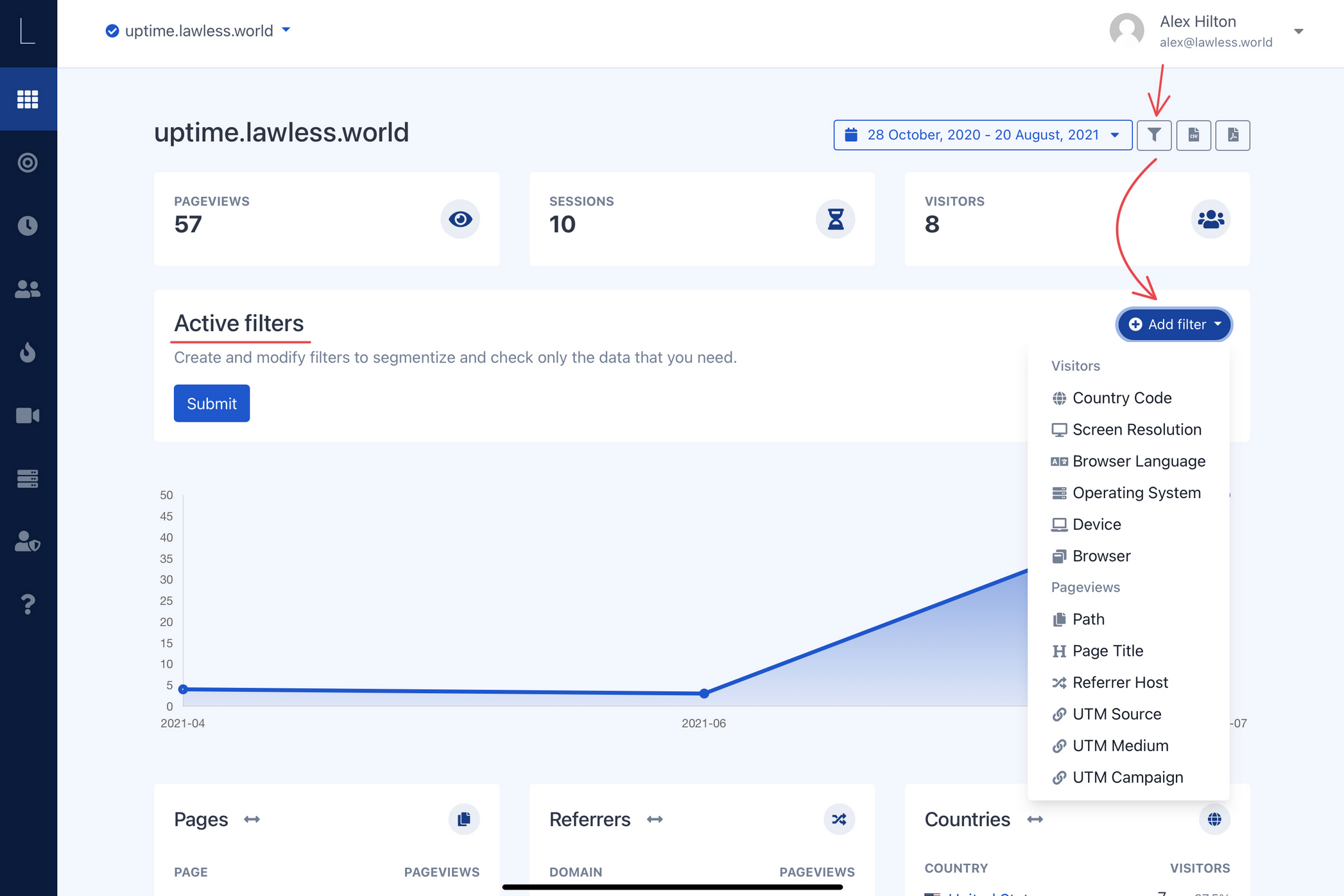
In the image above clicking the filter icon to the right of the date picker will bring the option to add filters to your web data. You can make a unlimited number of combinations and can export the results there after.
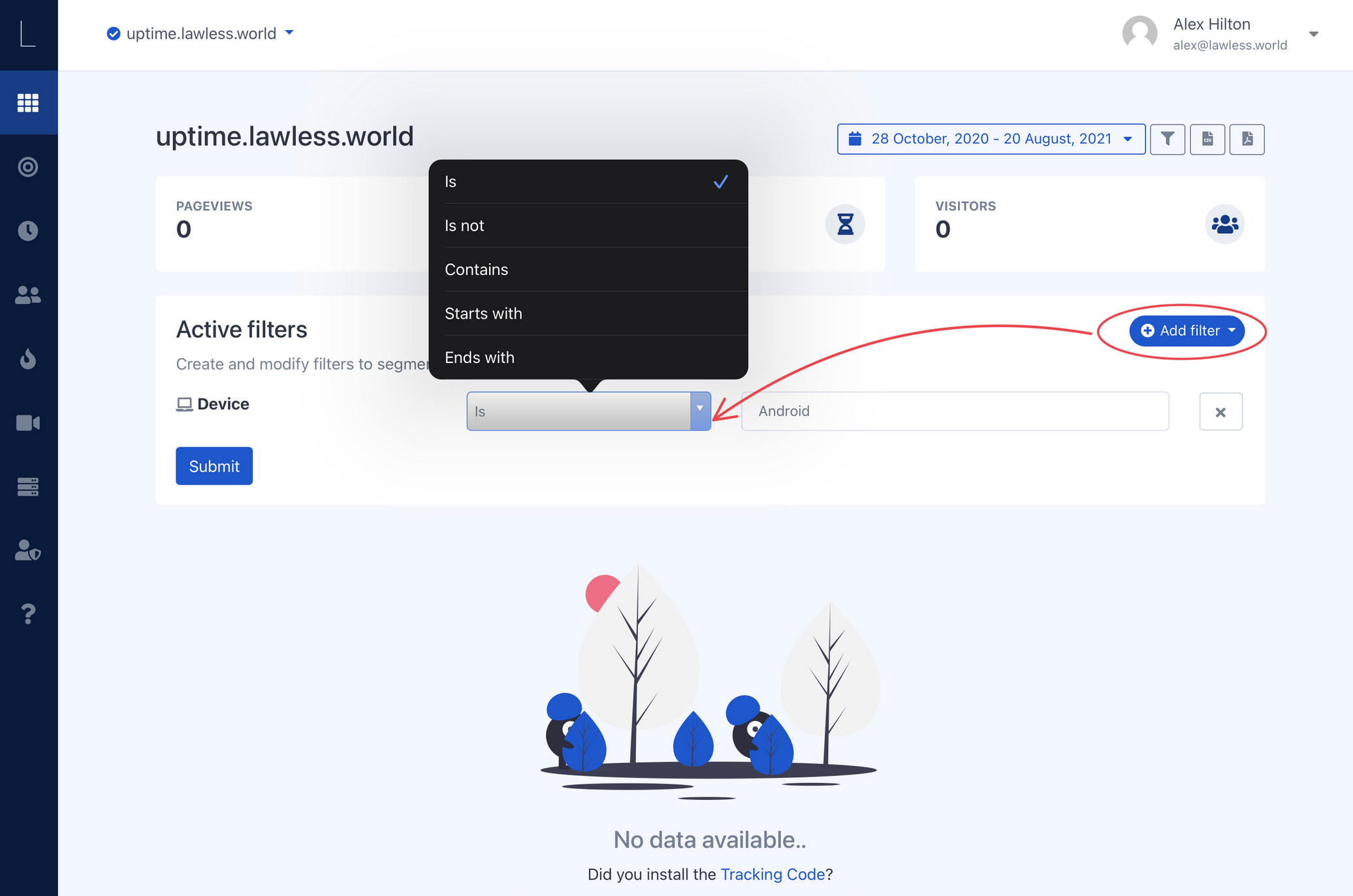
Once you've selected your chosen filter you can select the parameters that will surround it. In the example shown above, you see I can assign the device type a few member of variables:
- Is - this dictates that the device “IS” an android device
- Is not - means just that, the device “IS NOT” an android device
- Contains - Will show any device view if it contains android
- Start's with - chrome can be typed, anything you prefer to receive the desired data results
- Ends with - the opposite of start's with
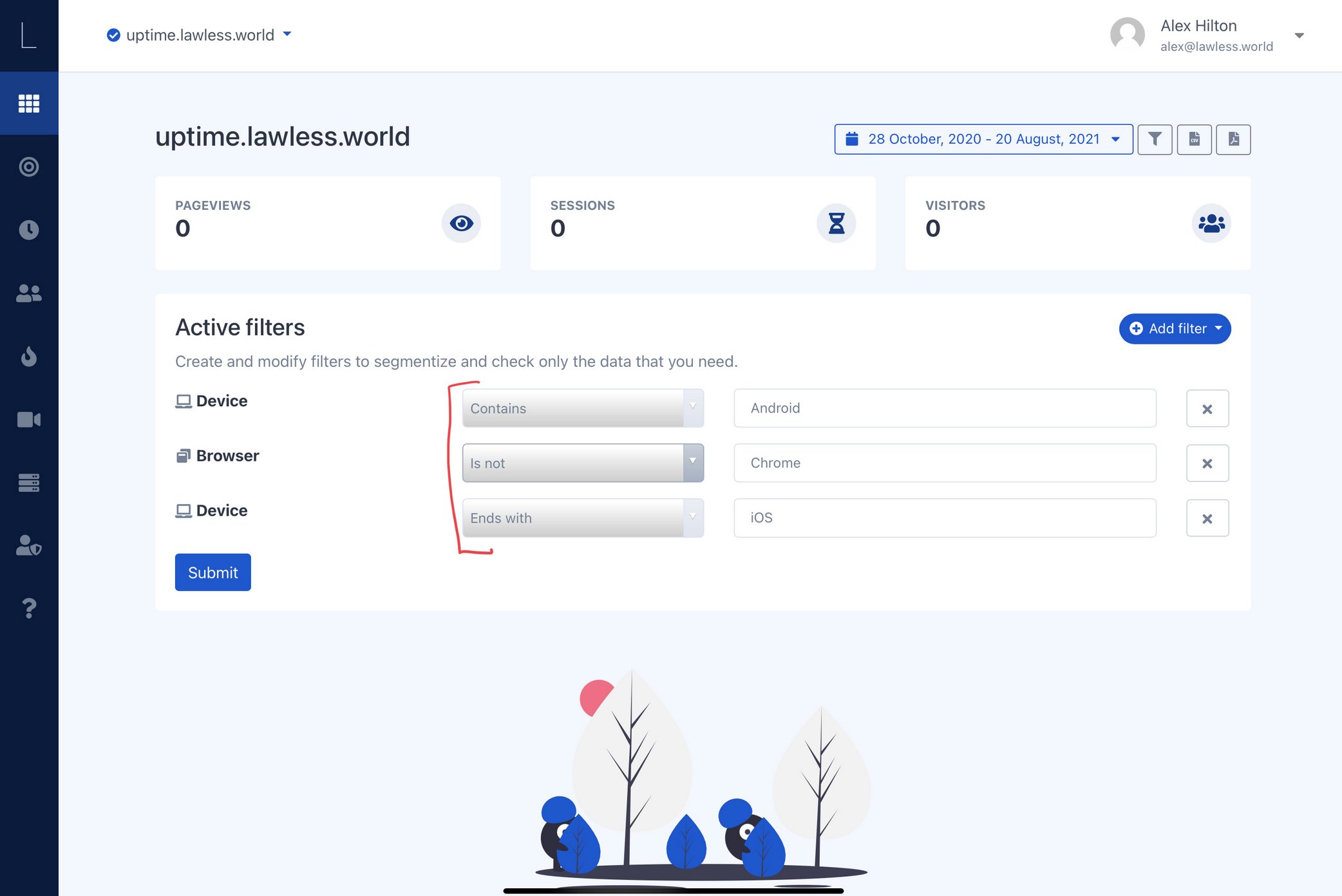
As you can see you can create an undaunted number of ways to perceive your data. Furthermore you can add filter after filter. In the image below I've added multiple filters.